 squirrelworks
With hybrid directory sync established, the next phase bridges cloud identity directly to cluster workloads. Here is how we integrated Okta OIDC authentication with a Kubernetes-hosted Grafana instance on our RKE2 node, configured authorization server scopes, and enforced clean profile attribute mapping.
To enable OpenID Connect (OIDC) authentication for Grafana, we created a Web Application integration in Okta and assigned our synchronized Active Directory security groups.
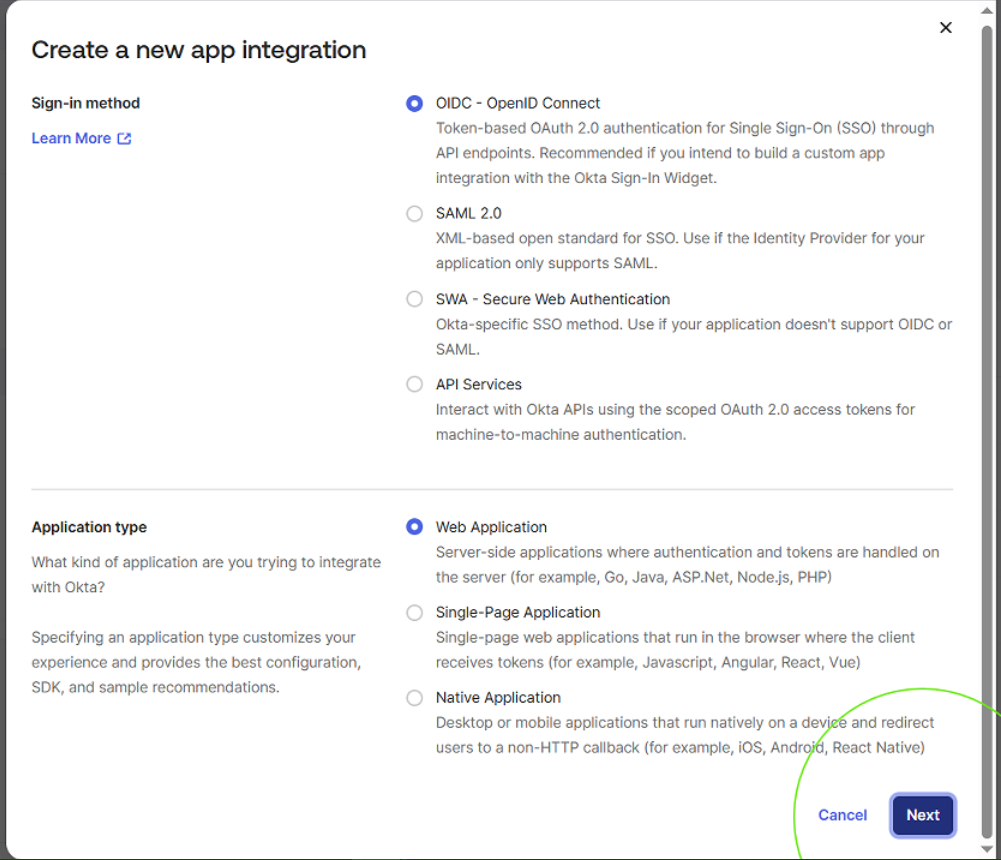
| Configuration Parameter | Target Setting | Architectural Function |
|---|---|---|
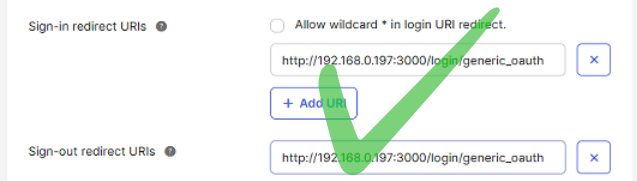
| Sign-in Redirect URI | http://192.168.0.197:3000/login/generic_oauth |
Matches Grafana's internal root_url path where authorization codes are returned. |
| Issuer Authority | https://trial-5131569.okta.com/oauth2/default |
Points to Okta's Custom Authorization Server base domain to sign issued identity JWTs. |
| Group Assignment | AD Security Group Scope | Restricts application access exclusively to users synchronized from local Active Directory OUs. |
A critical detail when working with Okta Custom Authorization Servers is ensuring the base Issuer domain in claims matches the request endpoints. Standard web admin portals use tenant prefixes (e.g., XYZ-trial-...), but the default Custom Authorization Server is strictly bound to https://trial-5131569.okta.com/oauth2/default. Aligning these domains eliminates handshake mismatch errors during state exchange.

For backend authorization code flows (like Grafana's server-side exchange), Okta evaluates redirect URIs directly inside the Application settings. Local IPs do not need to be registered in Okta's global API Trusted Origins list, as cross-origin JavaScript requests are not executed by the client browser.
LAN IP vs. Localhost: Redirect URIs must point to the reachable address of the client browser. Switching from localhost to the host IP 192.168.0.197:3000 ensures browser redirects hit the actual server hosting Grafana on the local network rather than resolving locally on the client device.
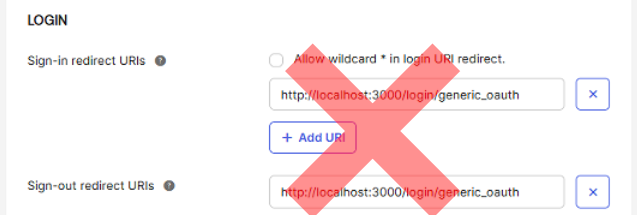
API Origin Exemption: Because Grafana executes authorization code and token exchanges server-side (backend-to-backend), local LAN IPs only need to be registered in the Okta App Integration settings. They do not require registration under Okta's global API Trusted Origins (CORS) list.
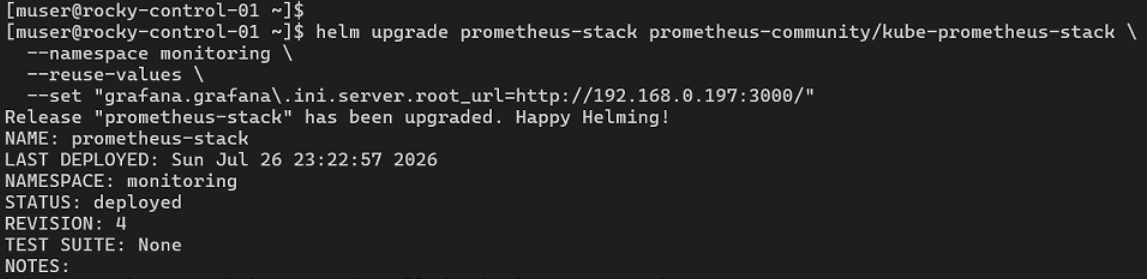
Grafana is deployed within our RKE2 cluster on node rocky-control-01 via the kube-prometheus-stack Helm chart. We configured generic_oauth parameters to map endpoints, set scopes, and enable auto-creation of user profiles.
To ensure settings persist across cluster upgrades without relying on manual command-line flags, we maintain the configuration in a declarative manifest:
grafana:
  adminPassword: 12345
  env:
    GF_AUTH_GENERIC_OAUTH_CLIENT_SECRET: <okta-client-secret>
  grafana.ini:
    server:
      root_url: http://192.168.0.197:3000/
    auth.generic_oauth:
      enabled: true
      name: Okta
      allow_sign_up: true
      client_id: 0oa15my9tozoF2bSt698
      scopes: openid profile email
      auth_url: https://trial-5131569.okta.com/oauth2/default/v1/authorize
      token_url: https://trial-5131569.okta.com/oauth2/default/v1/token
      api_url: https://trial-5131569.okta.com/oauth2/default/v1/userinfo
The release is deployed to the monitoring namespace using Helm:
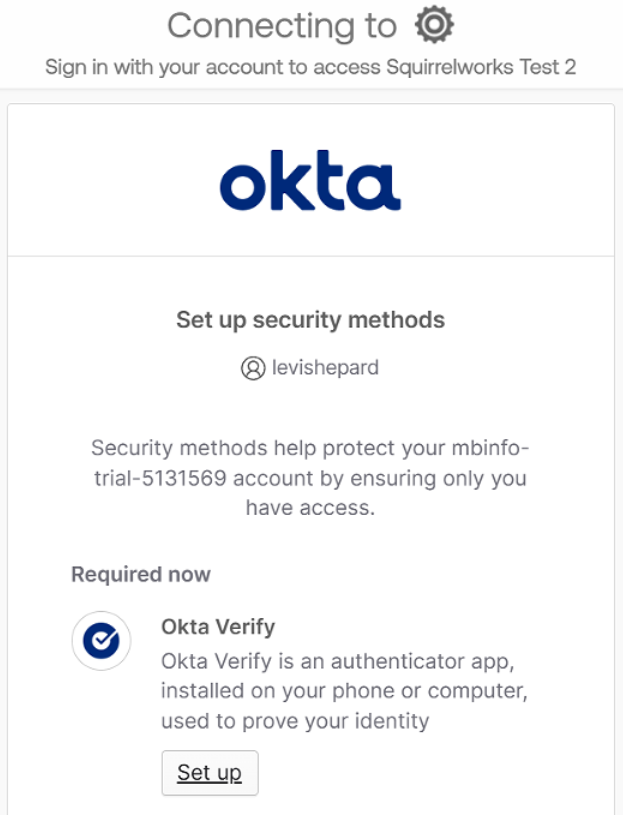
During initial login tests, Okta prompted users for mandatory MFA registration. In Okta's Identity Engine, application access is governed by the specific Authentication Policy assigned to that app rather than global management policies.
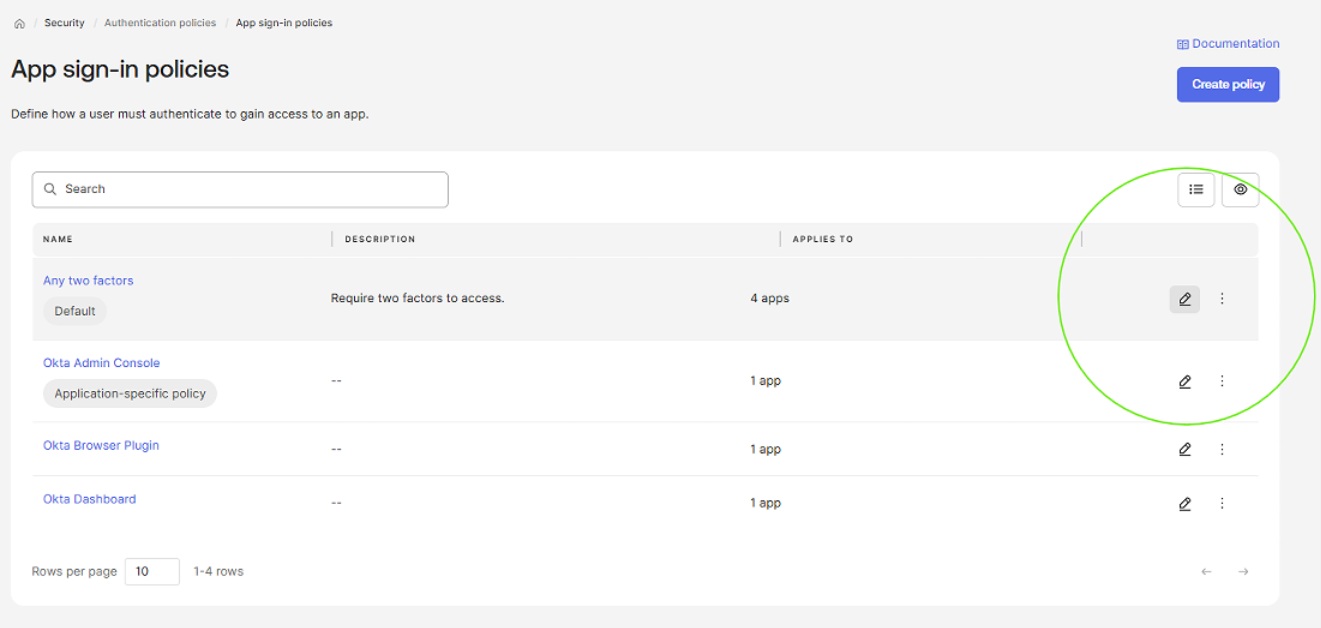
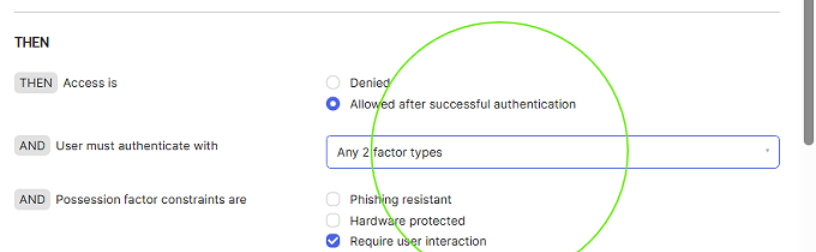
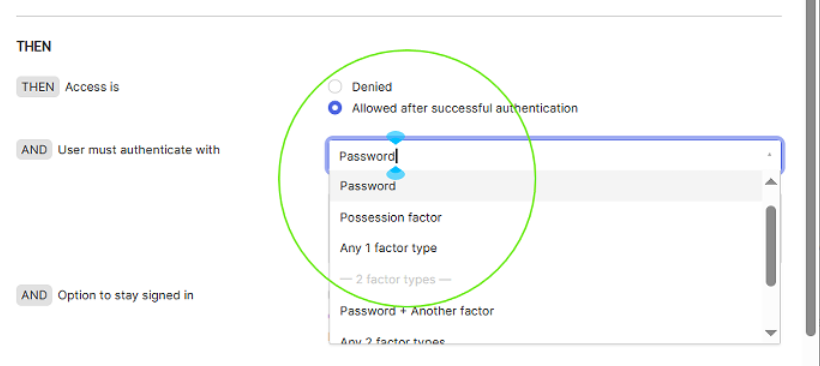
Navigated to Security > Authentication Policies, modified the app's Catch-all Rule, and set required user authentication to Password Only for seamless lab validation.
With openid profile email scopes configured, Grafana automatically extracted the user's full name, email, and preferred username directly from the Okta JWT assertion.
Upon clicking Sign in with Okta on Grafana's login screen, the browser redirects to Okta's authorization prompt. After validating against local Active Directory credentials via the AD agent, Okta returns an authorization code back to Grafana's callback route. Grafana exchanges the code server-side for tokens, auto-provisions the session, and grants access to the dashboard.
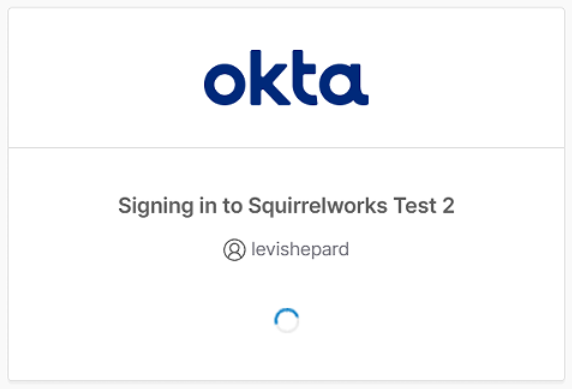
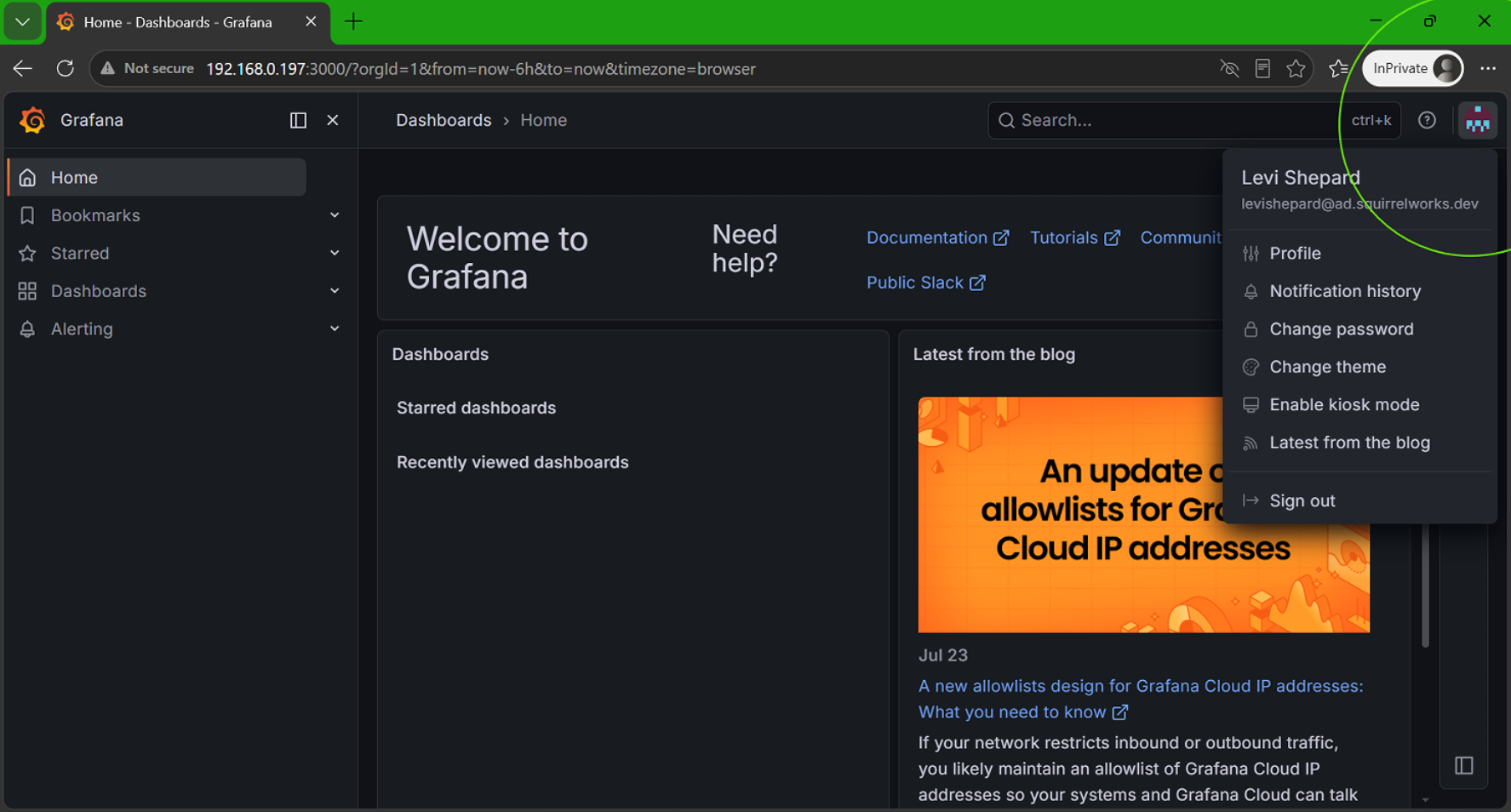
Synchronized user profiles (e.g., levishepard@ad.squirrelworks.dev) successfully authenticate through Okta delegated auth and are instantly provisioned into Grafana with full attribute parity.
Next in this series: Phase 3: Group-to-Role Mapping & Enforcing RBAC Controls in Kubernetes →